User Manual
Professional Reference Guide v5.3.2
System Overview
Shoonya Trader is a high-performance, desktop-based algorithmic trading terminal built specifically for the Finvasia Shoonya API. It is engineered for low-latency execution, offering a suite of manual scalping tools alongside fully automated strategies. Unlike web-based platforms, this application runs locally on your machine, ensuring your strategy logic and execution remain private and fast.
Installation & Setup
Automated Installer
Extract the Shoonya_Trader_Algo_v5.3.2_by_Bibhuti.zip package and run the installer wizard. It will automatically setup the app in your C:\Shoonya Trader with Algo by Bibhuti folder.
Security Warning:
If Windows displays a warning, click "More Info" then "Run Anyway" to proceed.
Need a step-by-step guide?
Follow our detailed visual walkthrough for a perfect installation.
Global Configuration
The application requires precise API configuration to communicate with the Finvasia servers. These settings are managed exclusively via the User > Creds menu within the application for secure encrypted storage.
How to get API Keys & TOTP?
Follow our visual guide to obtain API Key, Vendor Code, and TOTP Secret from Shoonya portals.
Required Parameters
- user_id Your Shoonya Login ID (e.g., FN12345)
- password Your Login Password
- totp_secret TOTP Key for 2FA generation
- vendor_code API Vendor Code (e.g., FN12345_U)
- app_key Your API Secret Key (SHA-256)
- imei Device Identifier (Arbitrary string)
Note: All credentials are saved in a highly secure encrypted format on your local machine.
System Settings & Licensing
- Show Debug Logs Toggle dedicated "Debug" tab for raw API traffic
- General Settings Switch Chart Engine (Matplotlib/TV) & Theme
- Global P&L Limits Configure via Status > PnL Analytics
- API Rate Limits Configure per-second (10) and per-minute (200) limits
- License Status Activate via User > Login
System Performance & Limits
API Rate Enforcement
Configure your limits via **Settings > API Rate Limits**. By default, it adheres to the Shoonya standard of **10 requests per second** and **200 per minute**. When "Enforce Limits" is enabled, the app prioritizes and queues orders sequentially to protect your account from broker-side session bans.
Technical Debugging
Enable **Settings > Show Debug Logs** to activate the internal Debug tab. This tab captures raw JSON request/response metadata, allowing advanced traders to audit execution latency and troubleshoot connectivity issues directly.
Global P&L Protection (Risk Management)
Monitor and protect your capital using the **Global P&L Limits**. This feature is integrated directly into the **PnL Analytics** window (Access via **Status > PnL Analytics** or click the **Total P&L** label).
1. **Loss Limit:** Set a threshold to automatically square off all positions if losses exceed your comfort zone.
2. **Profit Limit:** Lock in your gains by triggering an auto-exit once your daily profit target is reached.
3. **Protective Actions:** Upon breach, the system instantly **Stops all active Algos**, **Cancels all pending orders**, and **Exits all open positions**.
Main Dashboard
The dashboard is the command center of the application, divided into logical zones for monitoring and execution.
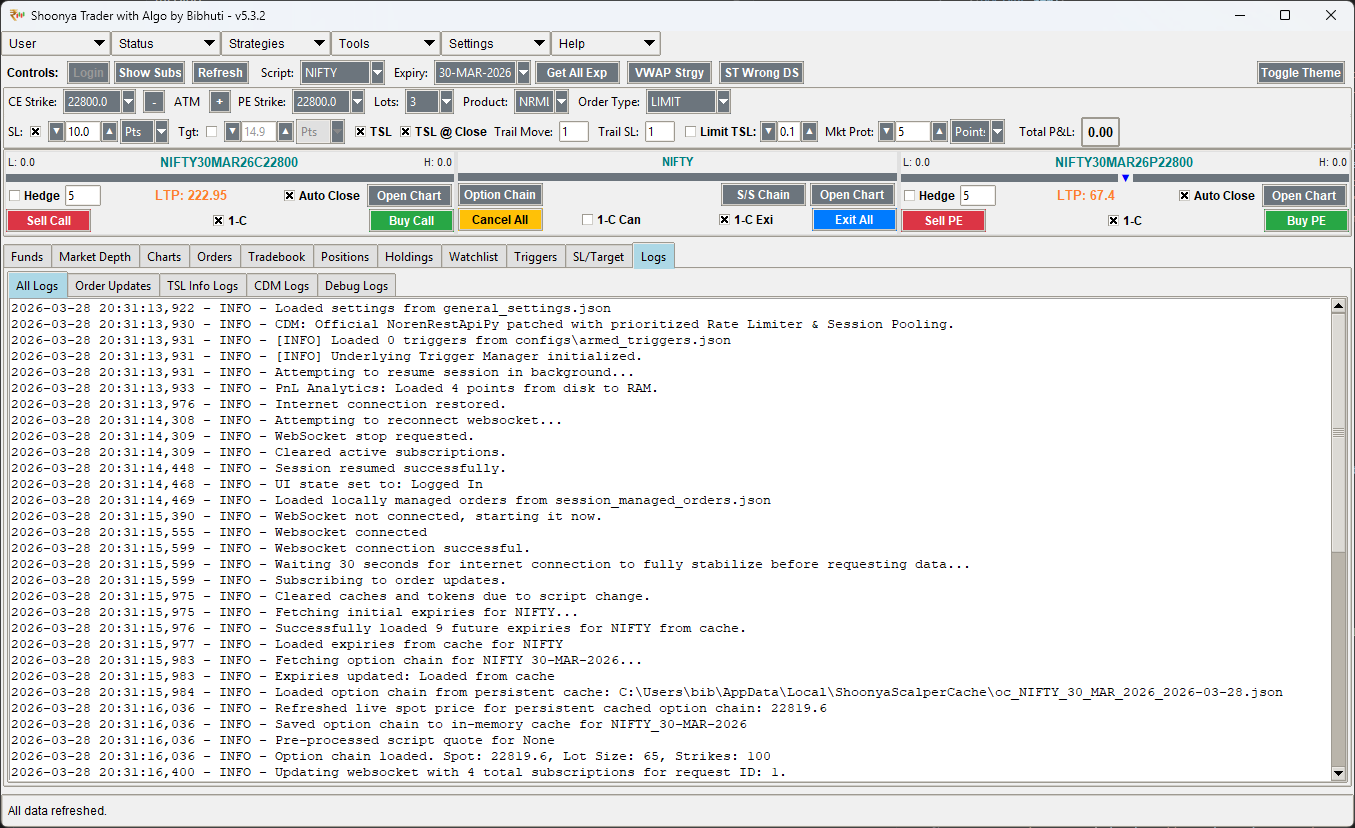
Top Bar: Global Controls
- Session Management: Buttons for Login (with Auto-TOTP), Logout, and Credentials.
- Resume Session: Automatically restores your previous state on startup.
- Diagnostic Tools: Access "Test API" for raw commands and "Show Subscriptions" for WS status.
- Global Refresh: Single-click sync for all tabs (Margins, Orders, Positions).
Middle Bar: Parameters
- Strike Adjuster: Use
+/-buttons to move CE/PE strikes symmetrically. - Moneyness Indicator: Live labels (ATM, ITM1, OTM2) for instant strike context.
- Quick Expiry: Hot-swap between different weekly/monthly expiries.
- Order Routing: Switch between MIS (Intraday) and NRML (Position) products instantly.
Watchlist Manager
A powerful, real-time script monitoring tool. Manage your favorite instruments with advanced searching and customizable layouts.
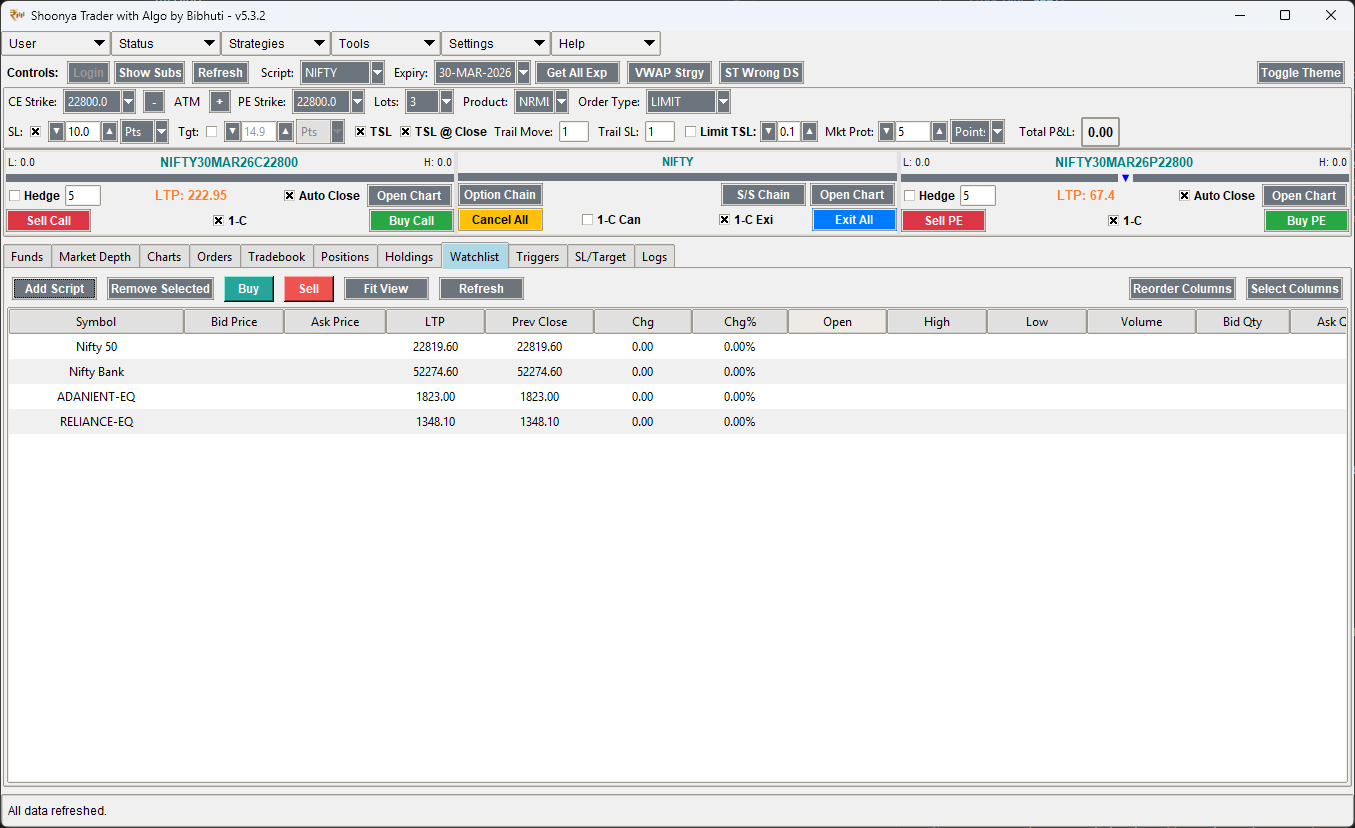
Core Management
- Smart Search: Autocomplete search with smart mapping (e.g., "NIFTY50" maps to "NIFTY INDEX").
- Drag & Drop: Reorder your scripts instantly by dragging rows to the desired position.
- Quick Actions: Integrated Buy/Sell buttons and right-click context menu for charts and removals.
Live Data & Customization
- Real-time Ticks: Live updates for LTP, Chg%, Bid/Ask, and Volume.
- Custom Columns: Select and reorder from 15+ data columns to fit your trading style.
- Auto-Save: Your layout and script list are automatically saved to locally securely.
Professional TradingView Integration
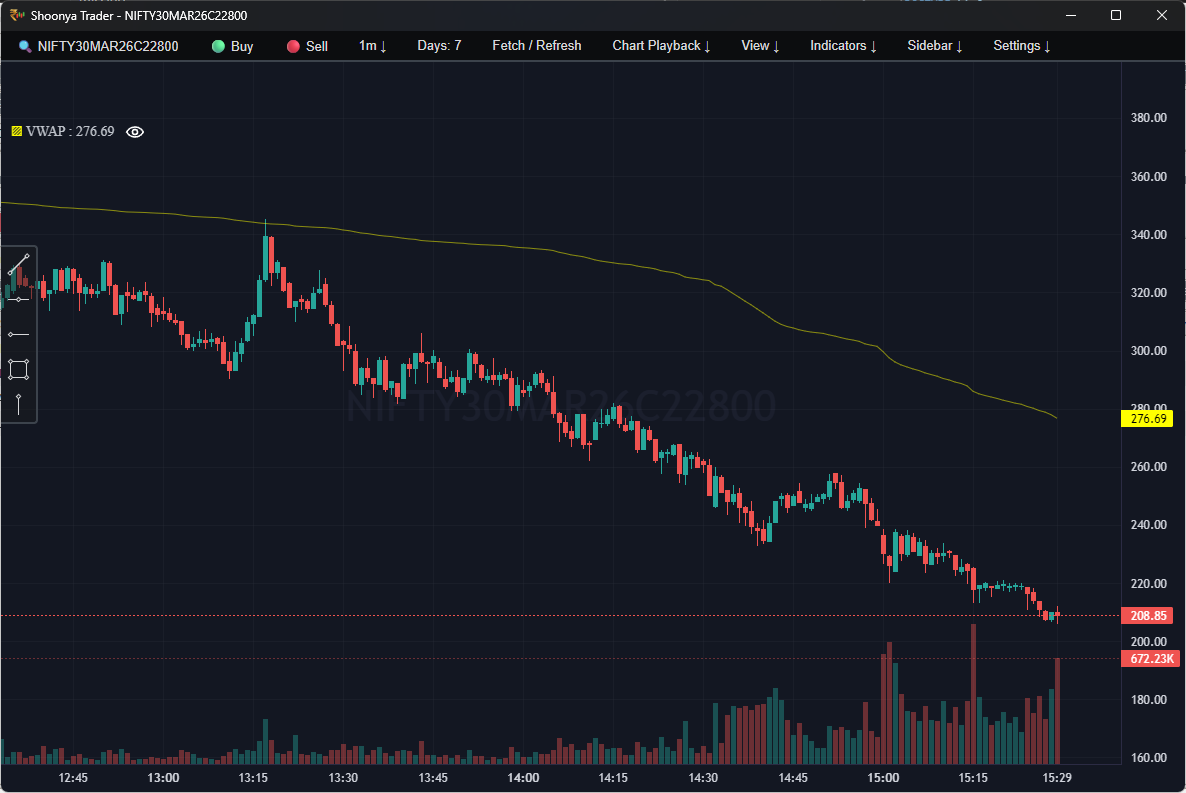
Experience industry-standard charting with our native TradingView integration. This is not a simple placeholder, but a fully functional, high-performance charting suite.
Trade from Chart
- Direct Execution: Integrated "🟢 Buy" and "🔴 Sell" buttons in the top bar for instant entry.
- Focus Maintained: Execute trades without switching back to the main terminal window.
- Full Controls: Opens the Order Window with pre-filled instrument details from the active chart.
Advanced Visuals
- Technical Indicators: Standard SMA, RSI, VWAP, and SuperTrend overlays.
- Interactive Toolbar: Full TradingView drawing toolbox for trendlines, fibonacci, and annotations.
- Data Playback: Rewind and play back historical data sessions for practice.
Alternative (Legacy) Charts
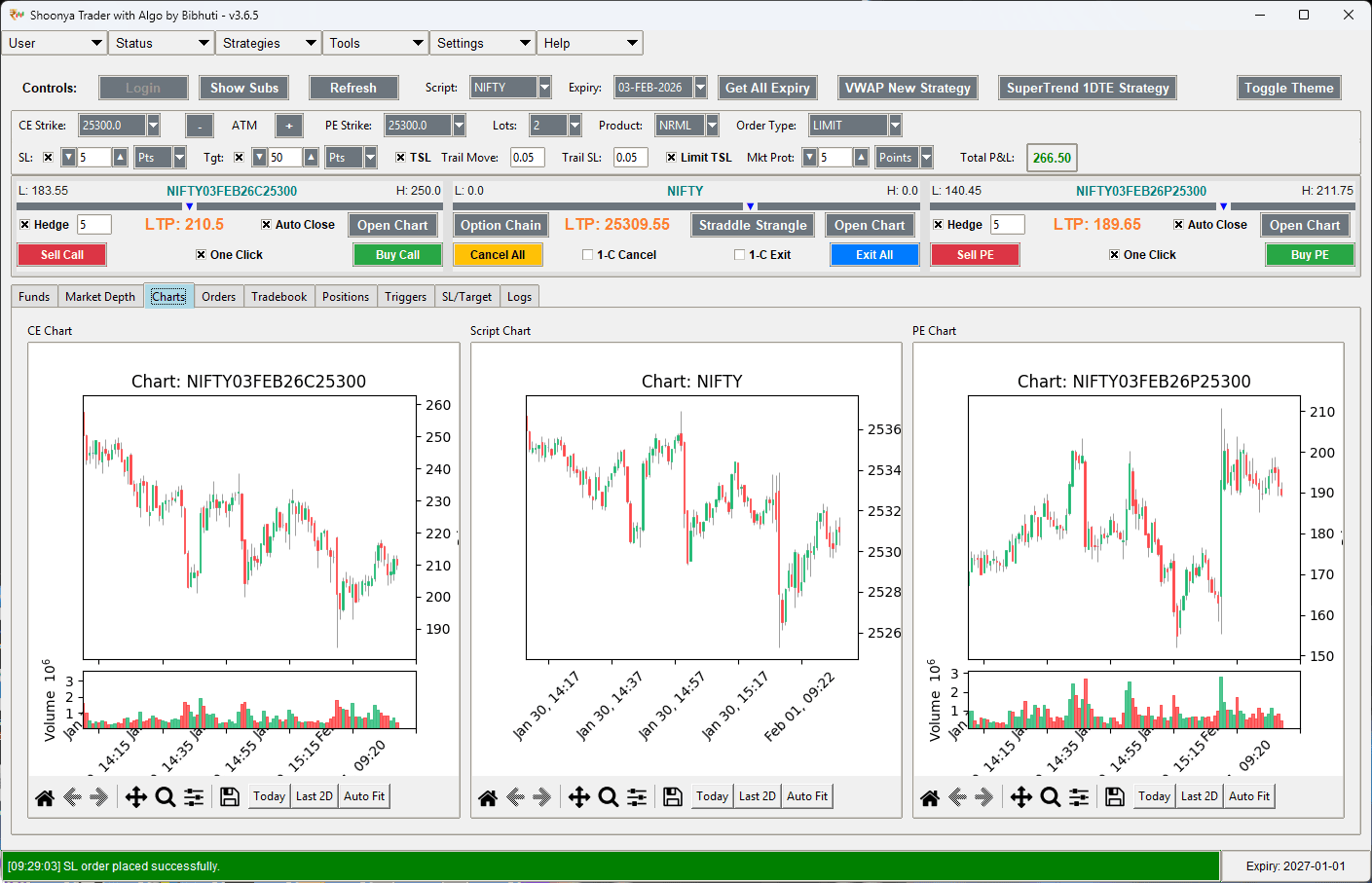
For users who prefer a simpler, faster interface, the Legacy Charting Tab provides standard indicator visualization without the full TradingView overhead. This is ideal for lower-end machines or simple monitoring.
Scalp Panel Controls
Located in the middle bar of the interface, these controls define how your manual orders are executed.

| Control | Values | Description |
|---|---|---|
| Lots | 1 - 50 | Multiplies the lot size. E.g., Lot=2 for Nifty (75) means 150 qty. |
| Product | MIS, NRML | MIS: Intraday Square-off. NRML: Overnight/Positional. |
| Order Type | MARKET, LIMIT, SL, Underlying | Underlying: Triggers order based on index price movements. |
Advanced Scalping Interface
The scalping panel features highly optimized visual cues and safety mechanisms for high-frequency trading.
Visual Day Range
Each instrument row features a dynamic bar showing the current price's position relative to its Daily High and Low. This provides instant visual context on current market strength.
- L: Displays the daily low.
- H: Displays the daily high.
- LTP Mark: A blue triangle tracking live price movement.
Safety Action Switches
Safety toggles to prevent accidental massive orders or square-offs. You must enable the correct switch before the button becomes functional.
- 1-C (One-Click): Enable for instant Buy/Sell buttons.
- 1-C Can: Enable before the "Cancel All" button works.
- 1-C Exi: Enable before the "Exit All" button works.
Hedge Management
Enable the **Hedge** checkbox to automatically place an OTM protection order whenever you enter a position. The **Auto Close** feature ensures that your hedge is instantly squared off as soon as your main position hits its target or stop-loss.
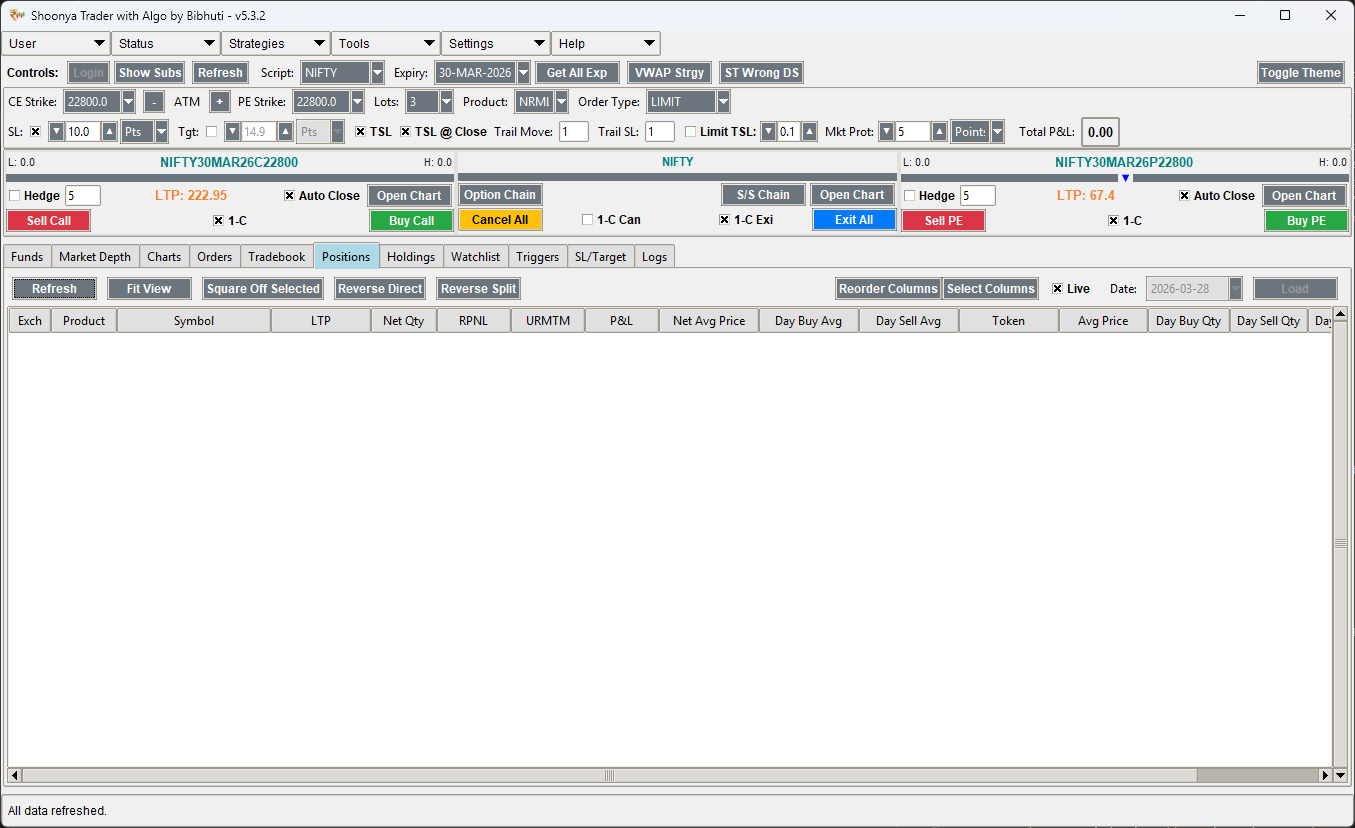
Positions & P&L
Monitor your live trades in real-time. The Positions tab shows your current MTM, quantity, and average price for all open and closed positions.
Holdings & Portfolio
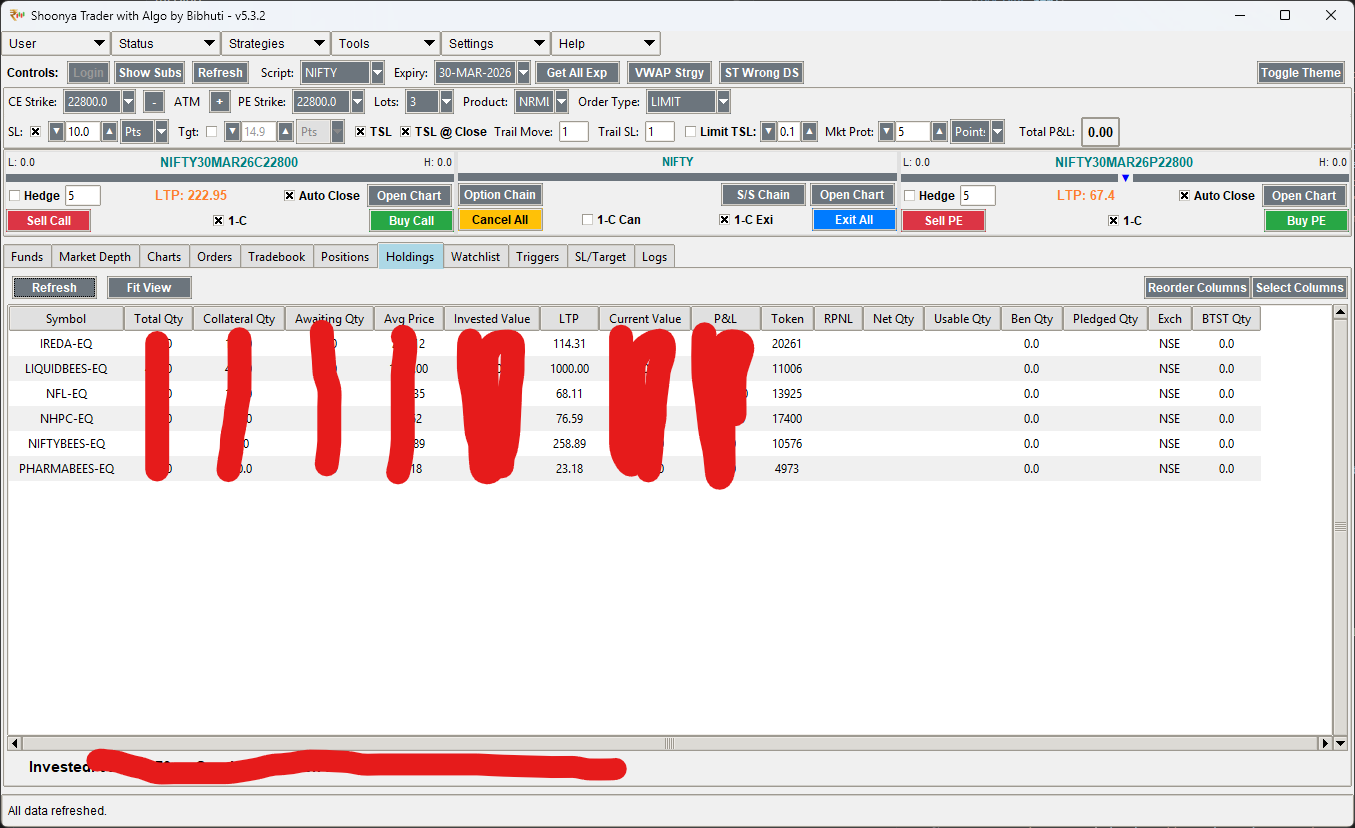
The Holdings tab provides a bird's-eye view of your long-term portfolio. It tracks your equity delivery positions with real-time valuation updates.
| Feature | Benefit |
|---|---|
| Live Valuation | Instantly see your total portfolio value based on latest market prices. |
| Direct Execution | Right-click any holding to instantly Buy more or Sell and exit. |
| Chart Integration | Open technical charts for any holding directly from the portfolio view. |
Order History & Tradebook
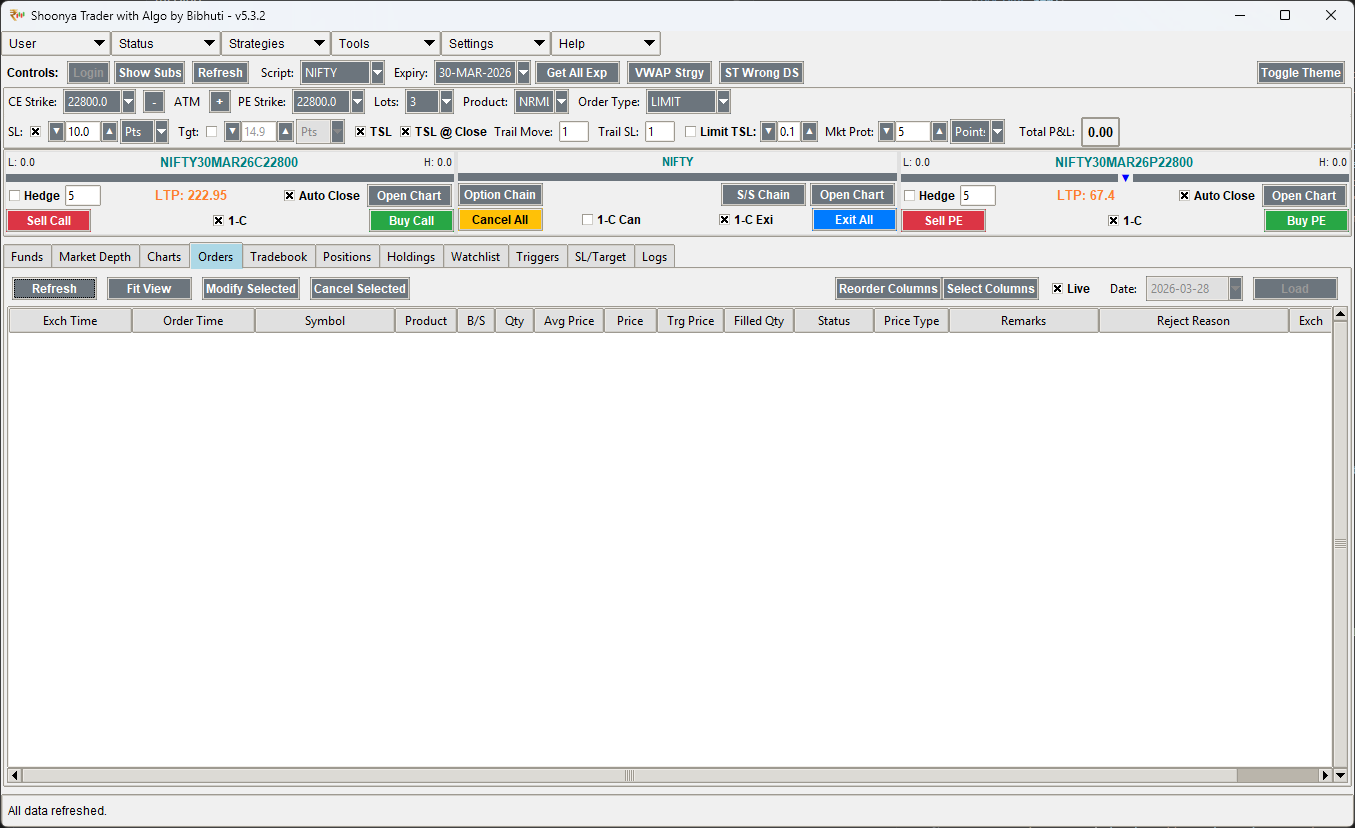
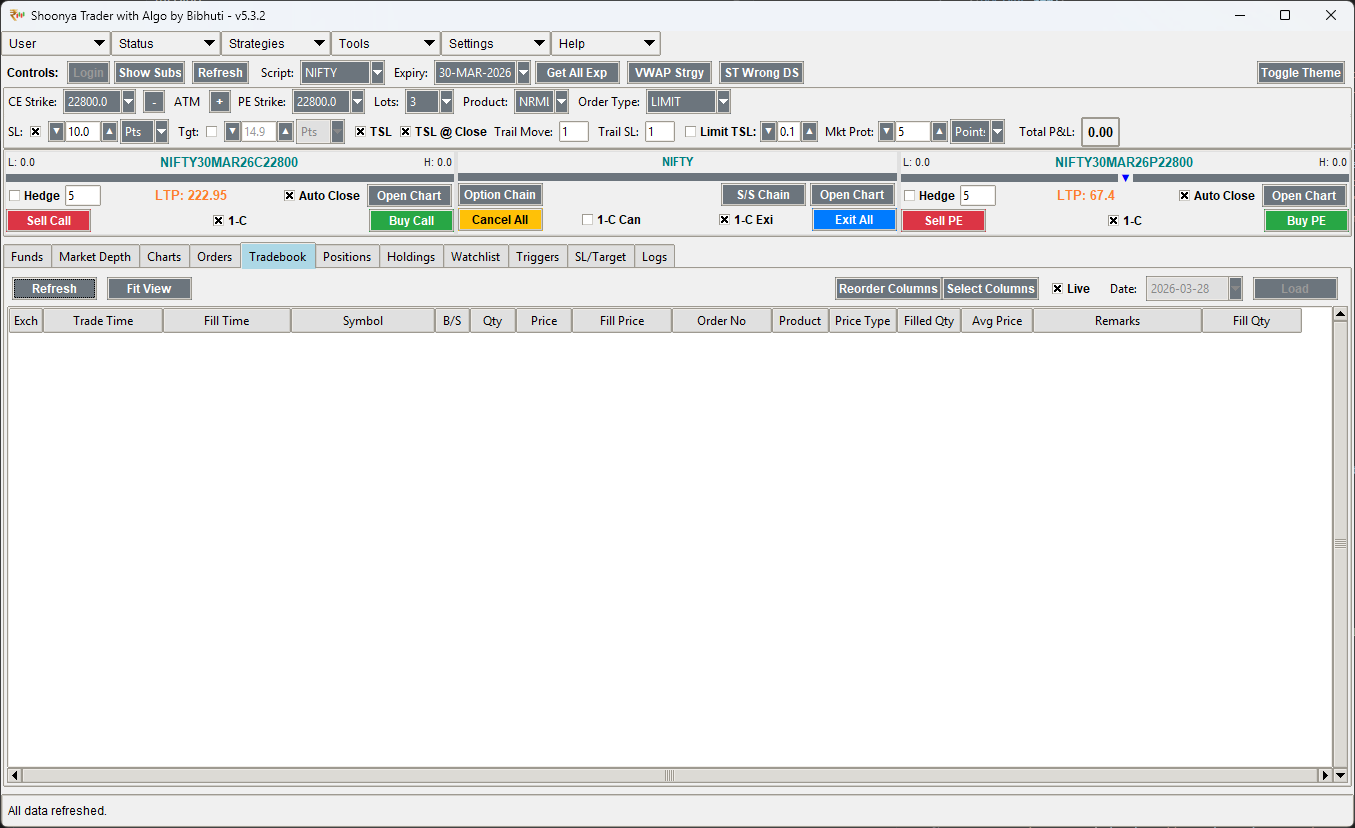
Review every transaction with precision. The Order History shows all attempts (including rejected/cancelled), while the Tradebook provides a clean summary of executed trades.
Order History
Tradebook
Tabbed Management
The bottom section of the terminal houses specialized tabs for real-time monitoring of various system components.
Funds & Margins
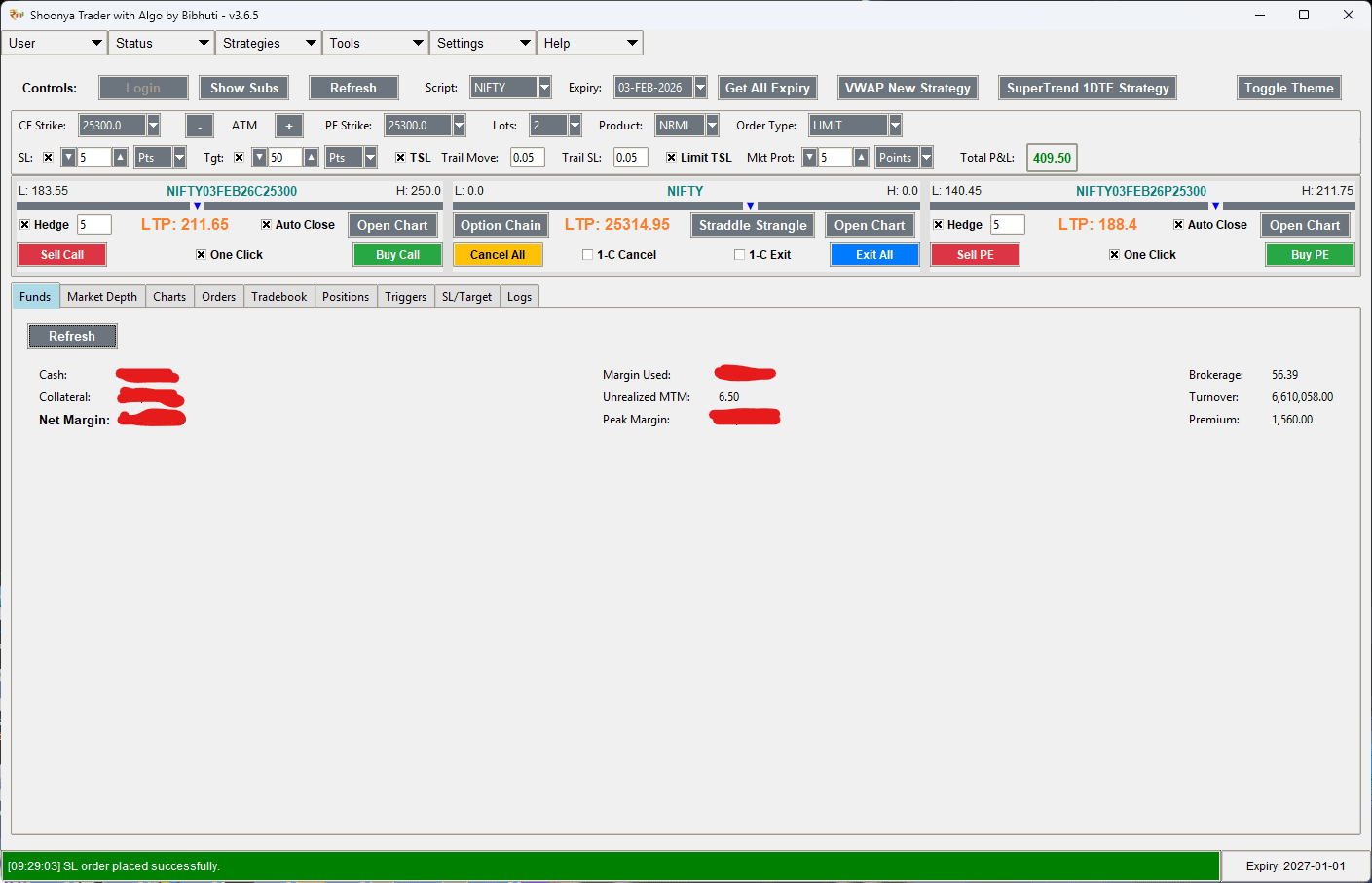
Live tracking of available margin, collateral, and funds utilization.
SL/Target Watch
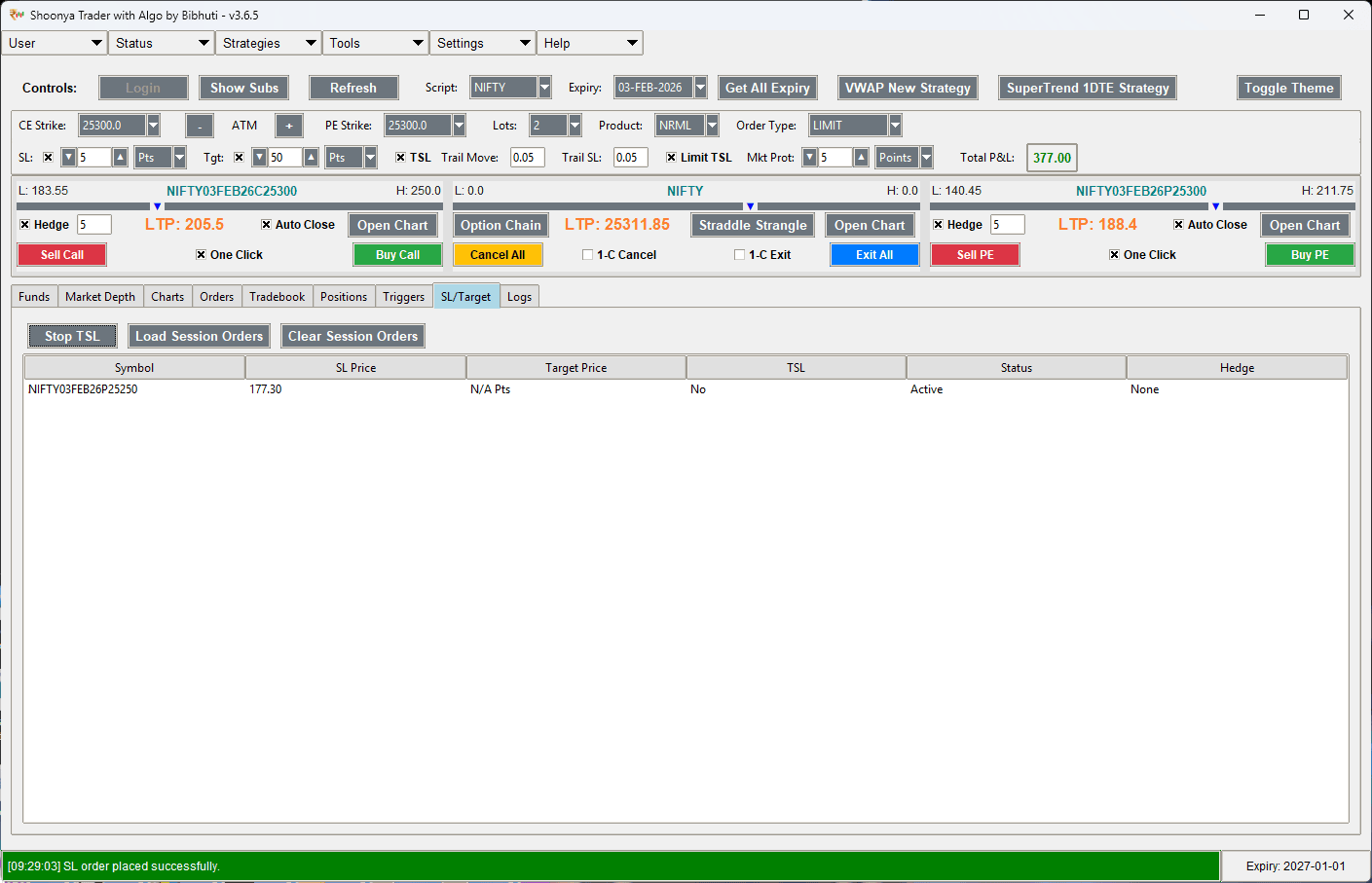
Active monitoring of locally-managed exit conditions and TSL status.
Live Logs
Categorized logs for order updates, trailing info, and system debugs.
Enhanced Strategy Logging
Experience complete transparency with verbose decision-making logs for all automated strategies.
- Pre-Execution Analysis: Logs precise candle price, indicator values (SuperTrend/VWAP), and trend direction before every signal.
- Semantic Signals: Explicitly states reasons for ENTRY, EXIT, and REVERSAL (e.g., "Signal Triggered: Index above Daily Range High").
- Alignment Tracking: Stay informed while the strategy is waiting for conditions to align before taking a trade.
Multi-Mode SL & Target
Shoonya Trader offers four distinct modes for calculating your Stop-Loss and Targets, providing flexibility for different trading styles.
Advanced Trailing Logic
TSL @ Candle Close
Enable this to prevent SL updates on every tick. The trailing stop will only be recalculated when a candle closes, helping you stay in trades during minor volatility spikes.
Limit TSL
Useful for securing a specific profit after a trend move. You can set a limit on how many times the TSL can trigger, ensuring you don't exit too early on a trailing move that gets too tight.
Market Protection (Mkt Prot)
Protects against "Slippage" and "Flash Crashes". By setting a Market Protection value (Points or %), every MARKET order is converted into a LIMIT order with a slightly better price buffer, ensuring you never execute at an extreme freak price.
Tools Suite
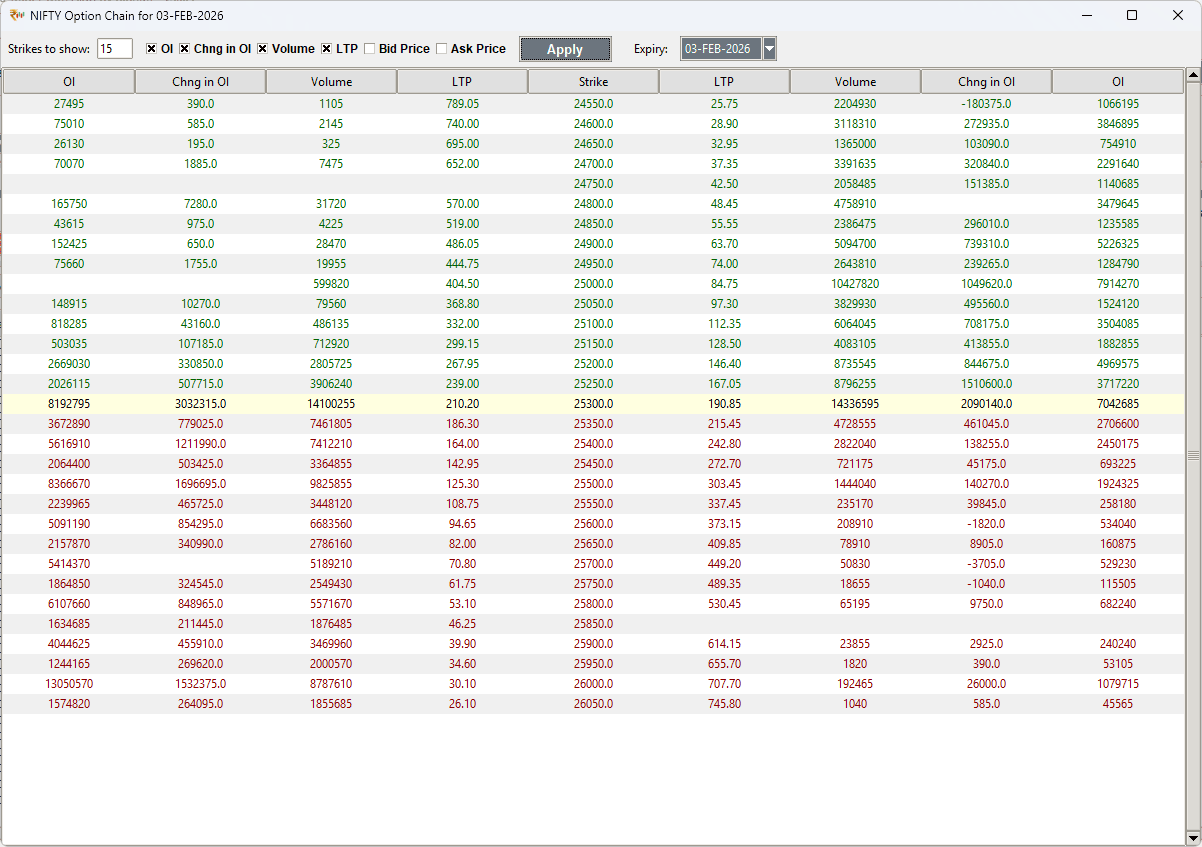
Option Chain
A comprehensive, real-time option chain for NIFTY, BANKNIFTY, and FINNIFTY. It displays Open Interest (OI), Volume, and Greeks (Delta, Theta, Gamma, Vega) for deep market analysis. Direct execution is available from the chain rows.
Market Depth (L2 Data)
Real-time Level 2 data providing a view into the top 5 buyers and sellers. Crucial for understanding liquidity and finding the right entry points for large orders without significant slippage.
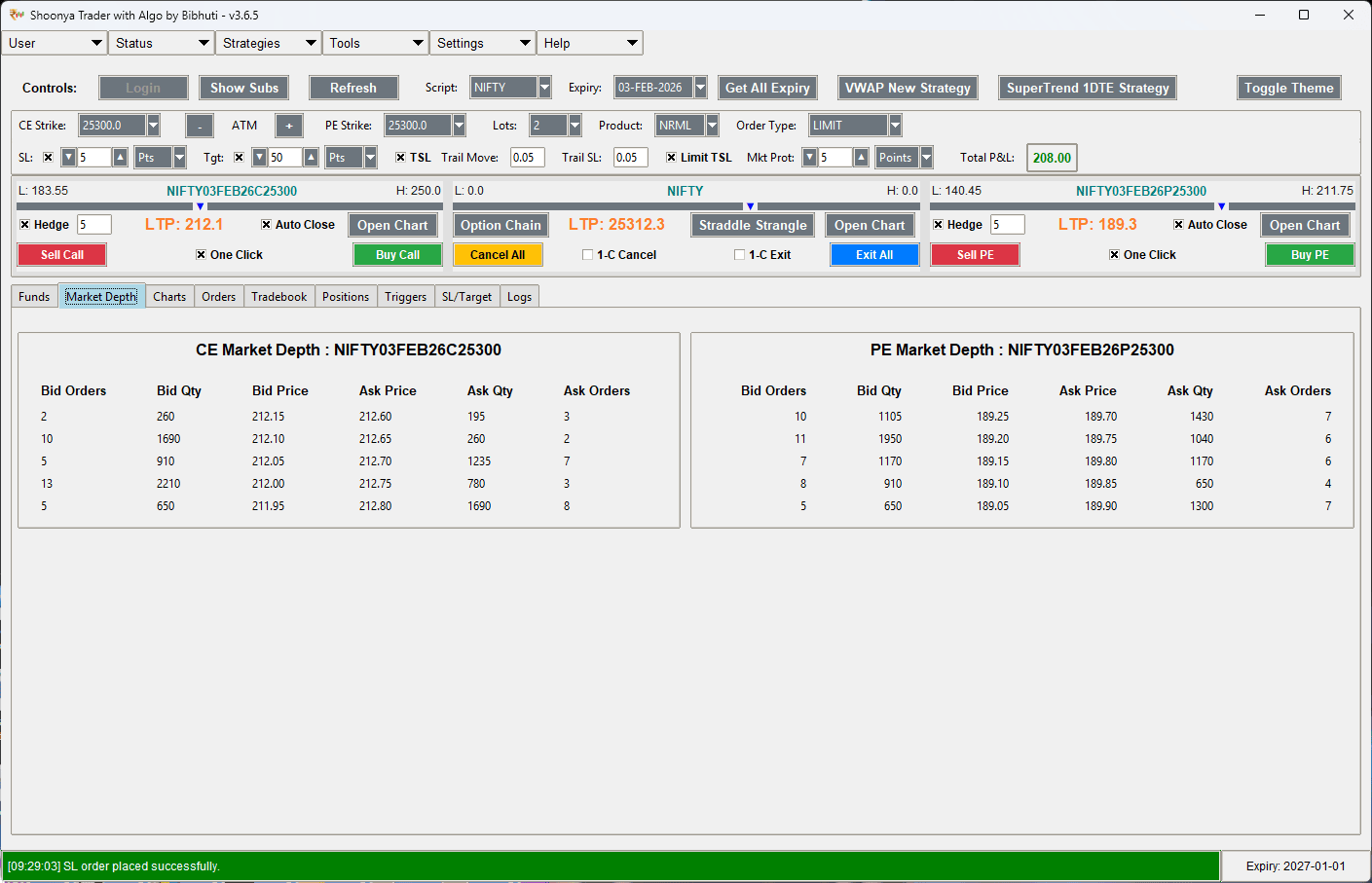
- Bid/Ask Spread: Instant tracking of the difference between best buy/sell price.
- Liquidity Gauging: Monitor buy versus sell quantity at each price level.
- Execution Context: Integrated directly into the main terminal for zero-switch monitoring.
Basket Orders
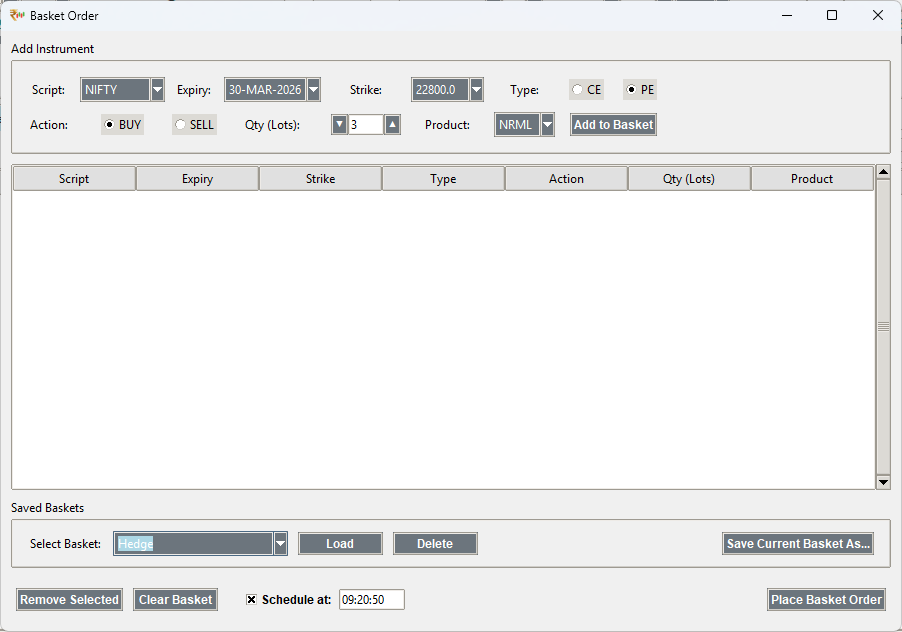
Execute complex multi-leg strategies instantly. Create custom baskets, save them for later, and fire bulk orders to the exchange with a single click. Essential for hedging and arbitrage.
Straddle/Strangle Tool
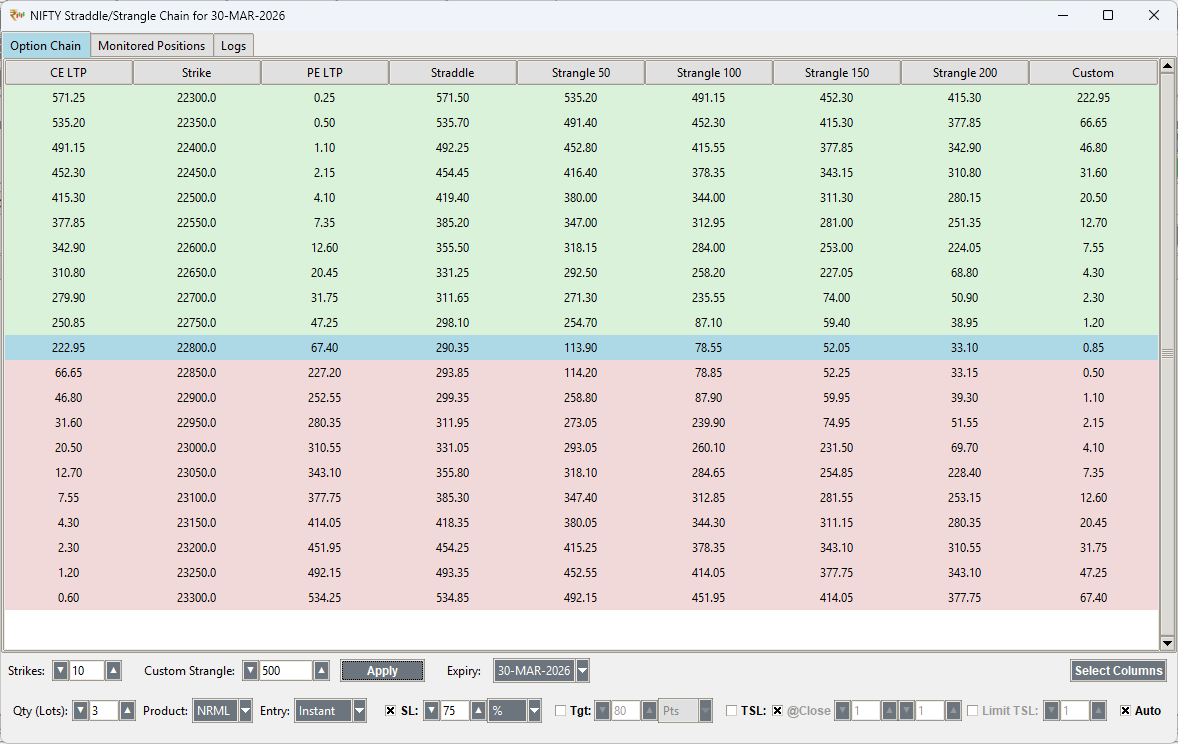
An automated tool for non-directional strategies. It now supports multiple advanced entry modes for maximum flexibility.
- Instant Mode: Execute at current market premium.
- Limit Mode: Set a specific combined premium target.
- Momentum Mode: Trigger when combined premium moves X% in Y seconds.
- Underlying Mode: Entry based on Spot Index price levels.
Combination Charts (Spread Analysis)
Visualize the combined premium of your multi-leg strategies. Right-click any premium cell in the Straddle/Strangle chain or Option Chain to open a real-time chart tracking the spread (CE + PE).
Underlying index Triggers
Execute option trades based on Spot Index price movement. Instead of monitoring option premiums, you can set triggers for Nifty or Bank Nifty spot levels.
Example: "Sell CE when Nifty Spot hits 25,400"
Momentum Trading
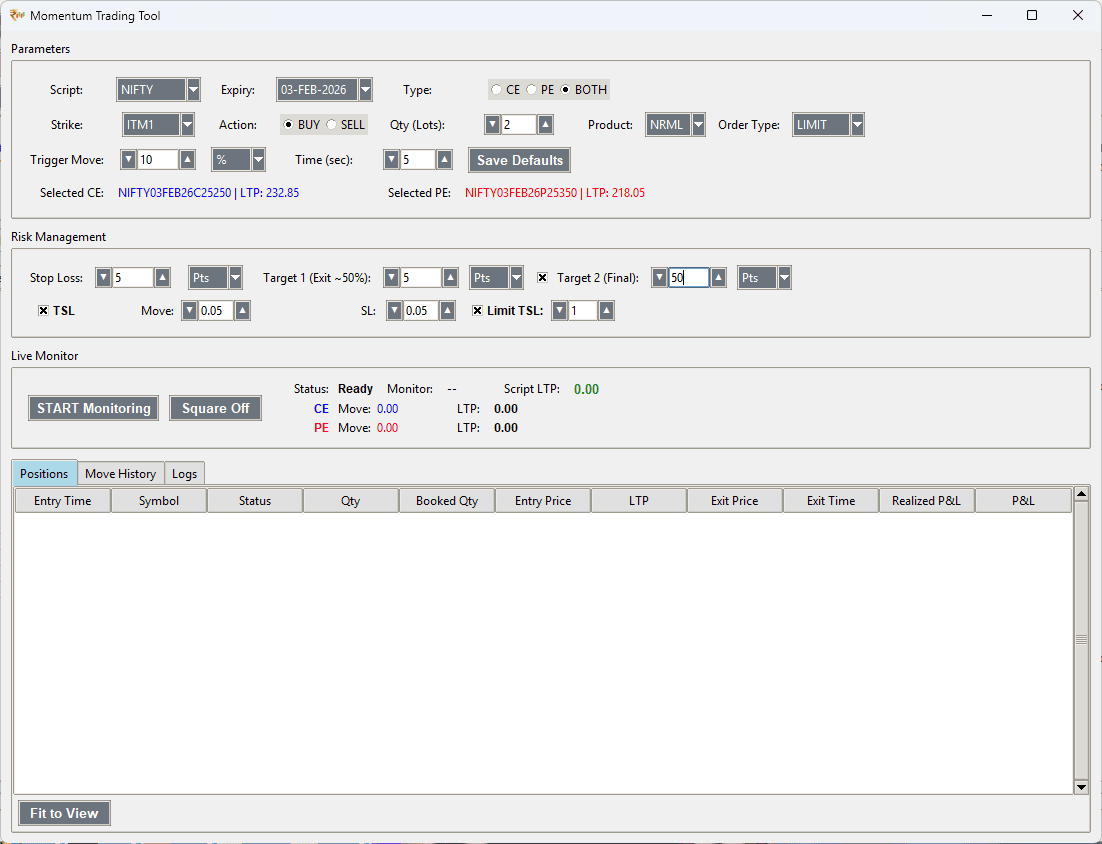
Designed for aggressive scalping, this tool identifies and captures rapid price movements. It features specialized order types and visual indicators for momentum strength.
Historical Data Management
Integrated Data Fetcher allows you to download tick-by-tick data. Use the **Symbol Manager** daily to keep your local instrument library updated with the latest token lists from Shoonya.
Free Data Download Page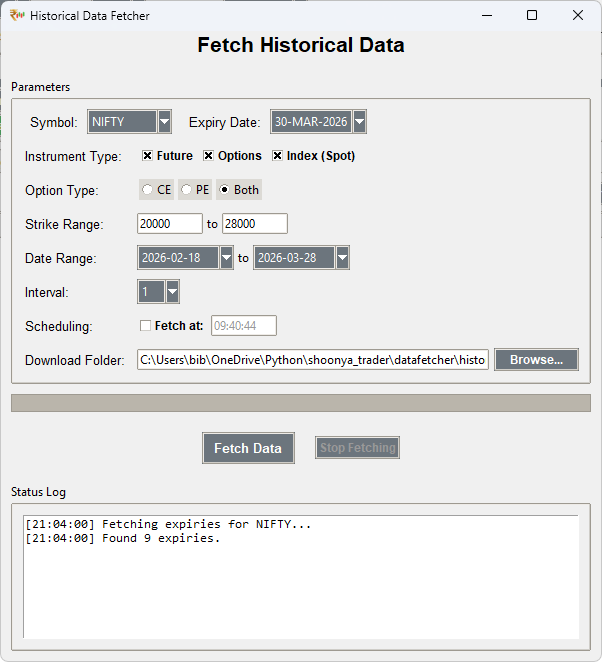
Advanced Historical Viewer
Visualize data with TradingView-integrated components. Inspect past performance across multiple indicators candle-by-candle with institutional-grade chart tools.
Free Data Download Page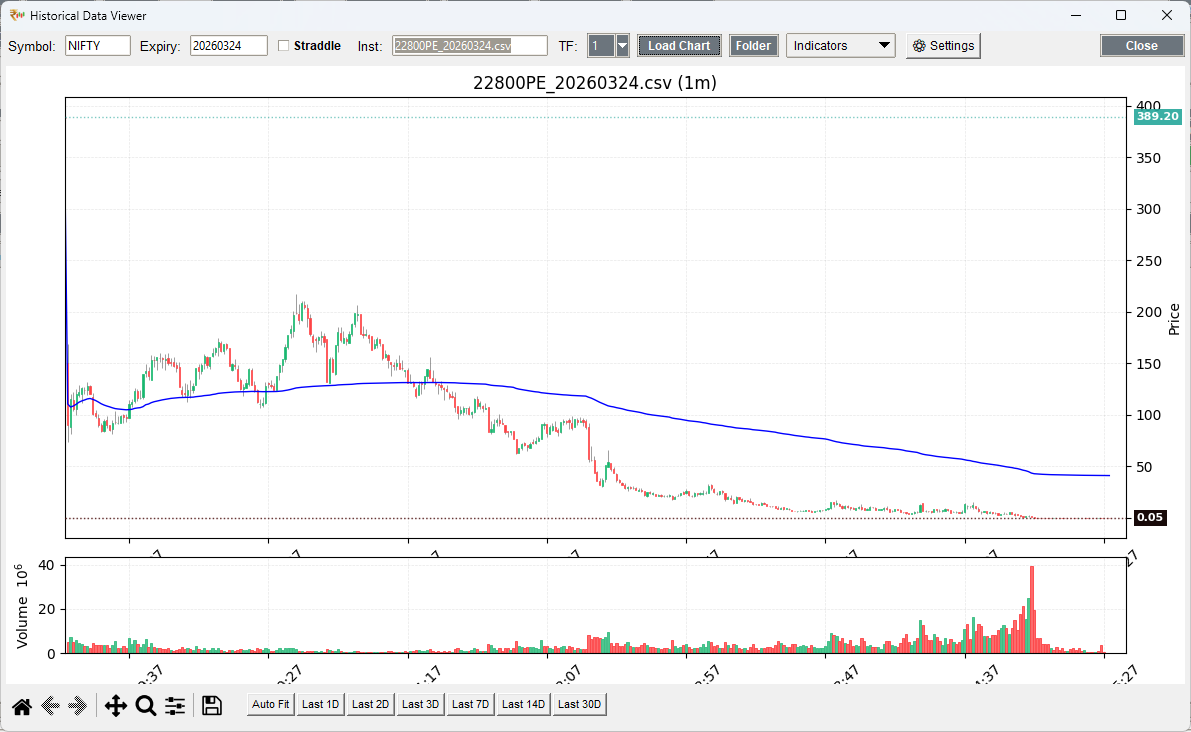
Strategy Backtester
Validate your trading ideas with institutional-grade precision. The built-in backtester allows you to simulate strategies against years of historical data, providing detailed performance metrics, drawdown analysis, and equity curves.
Algorithm Selector
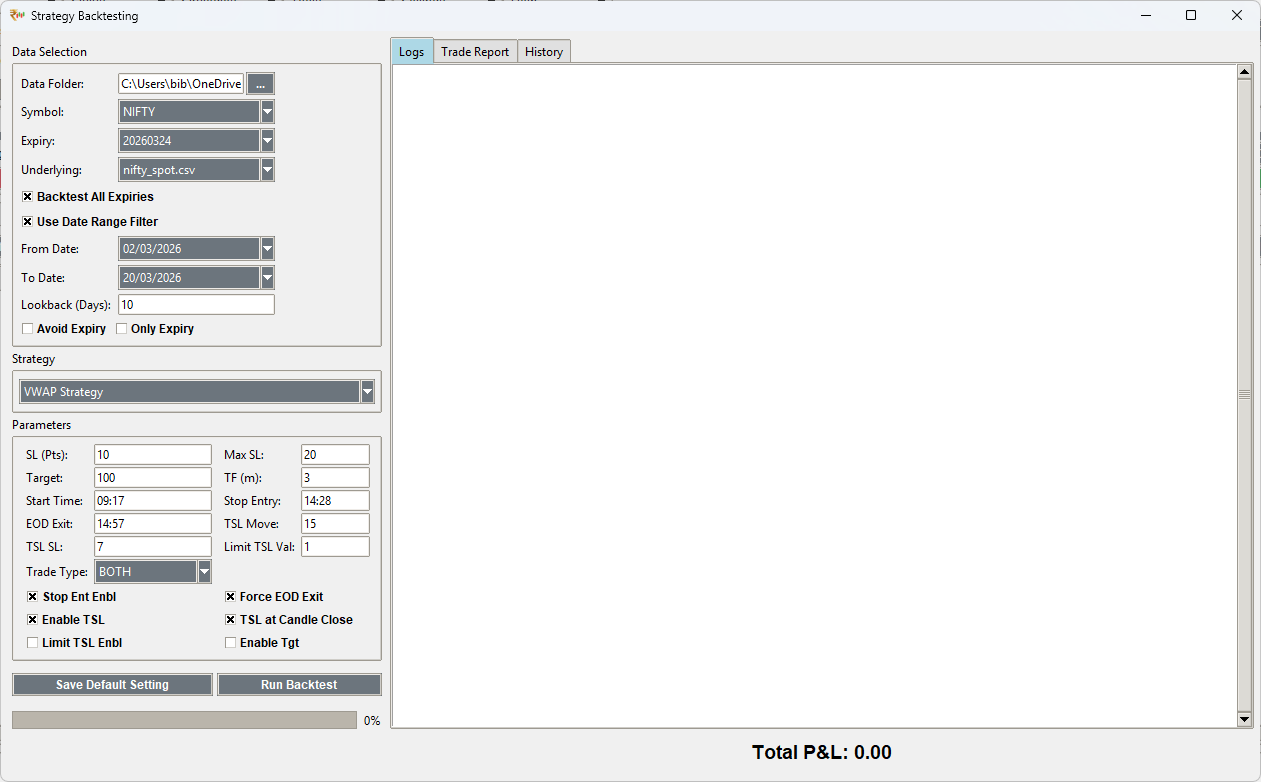
Simulation Logs
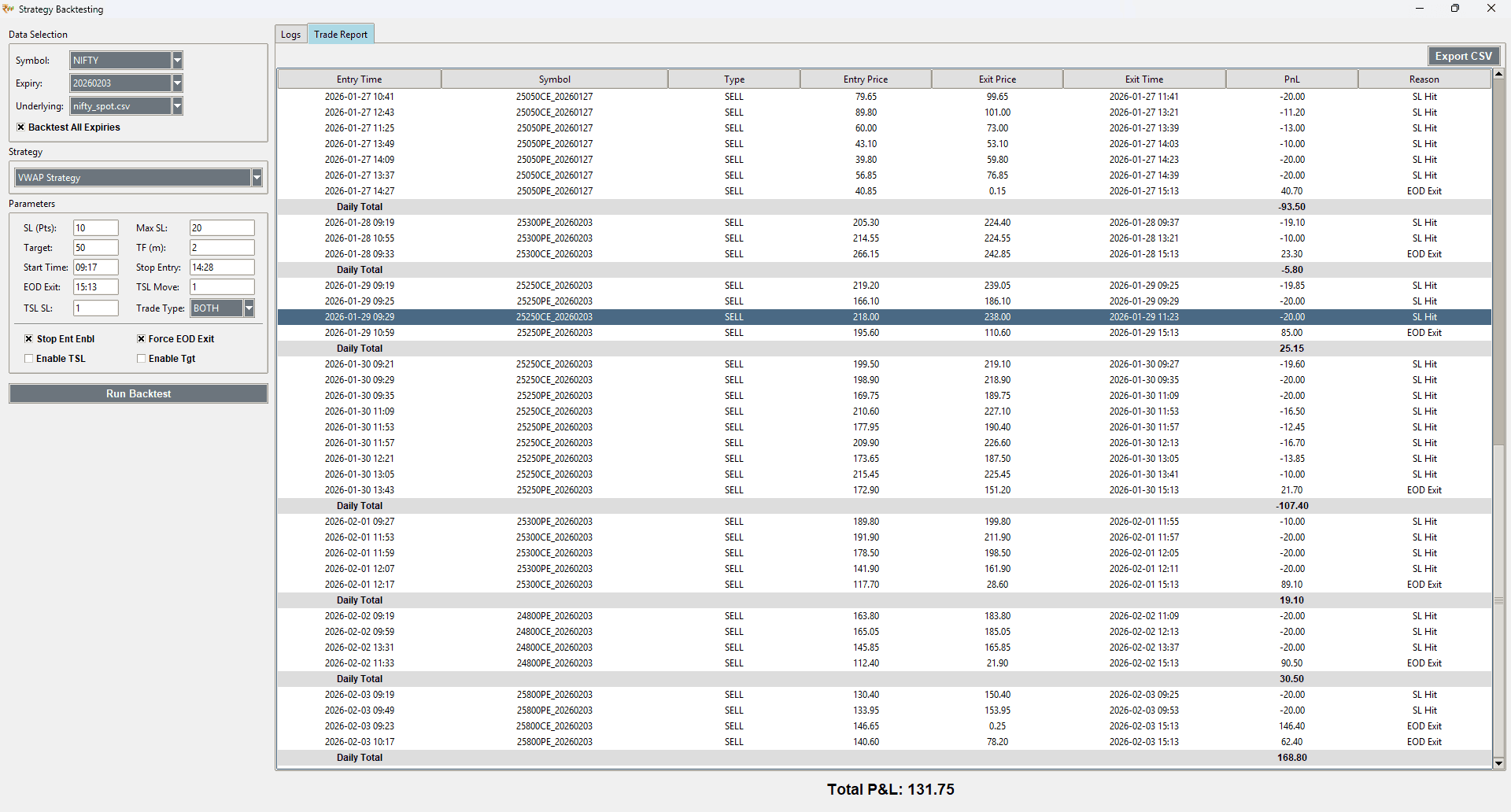
Core Capabilities
- Multi-Strategy Support: Test VWAP, SuperTrend variations, and custom "Greedy" logic.
- Flexible Data: Use local CSV historical data with custom date ranges and lookback filters.
- Deep Analytics: View trade-by-trade logs, monthly summaries, and max drawdown tracking.
- Visual Feedback: Integrated performance charts with equity curves and trough highlights.
Terminal Intelligence
Proprietary UI and execution optimizations for professional low-latency trading.
Slippage Control
- Standardized LIMIT: All automated algorithms prioritize LIMIT orders with Market Protection to ensure fills without freak prices.
- Safety Buffers: Configurable protection values (Points/%) applied to every automated execution.
UI Optimizations
- Auto-Column Management: Positions and trade tabs automatically "Fit to View" on event-driven triggers.
- Zero-Lag Price Updates: UI scaling is decoupled from live price ticks to prevent jarring interface movements.
Automated Strategies
The core power of Shoonya Trader lies in its automated execution engines. Each strategy runs on a dedicated thread, ensuring non-blocking performance.
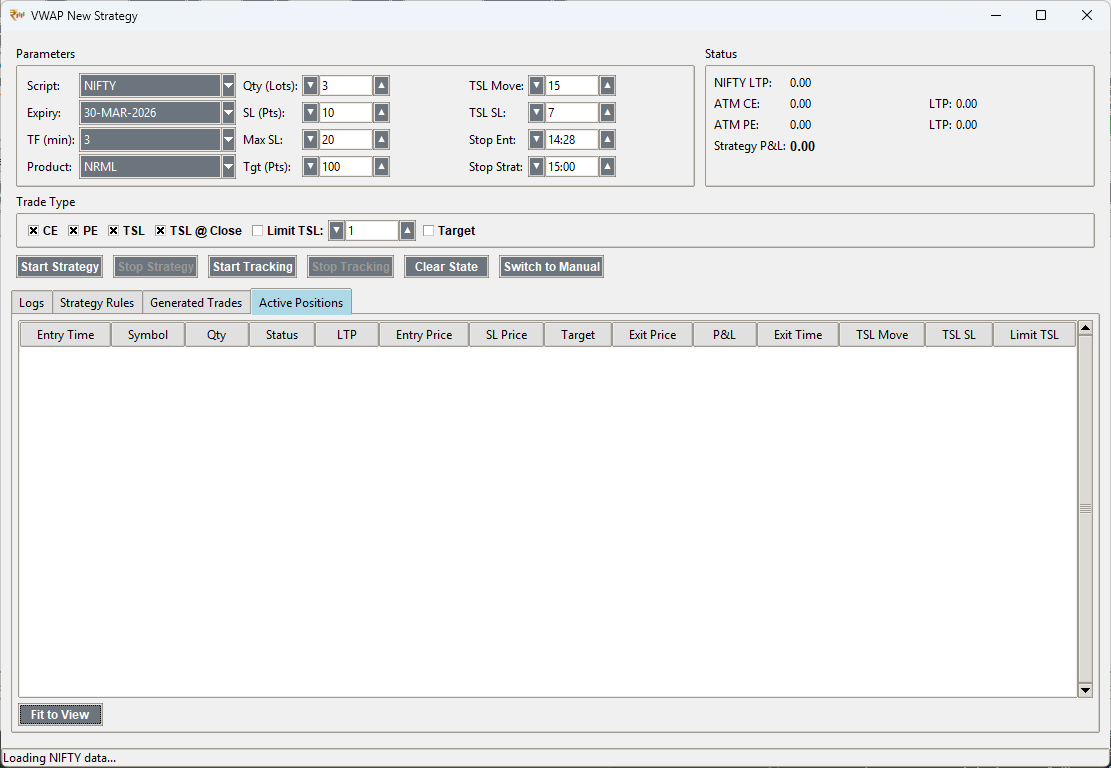
VWAP New Strategy
TREND FOLLOWINGStrategy Logic
The strategy monitors price action relative to the Volume Weighted Average Price (VWAP).
Entry Condition:
1. Previous candle closes below VWAP.
2. Current price breaks below the Low of the previous candle.
Risk Management/SL:
The initial Stop-Loss is placed at the High of the entry candle (previous candle). However, the app enforces user-defined "SL" (Minimum) and "Max SL" (Maximum) point boundaries to prevent excessively small or large stop-losses.
Key Parameters
| Parameter | Description |
|---|---|
| TSL Move | Points of profit required to trigger trailing. |
| TSL SL | Points to move SL by when trailing triggers. |
| Limit TSL | Locks minimum 1 point profit once trailed. |
| Stop Entry | Time (HH:MM) to stop taking new trades. |
SuperTrend 1DTE Strategy
POSITIONAL / HEDGEDStrategy Logic
A bi-directional strategy based on SuperTrend (10,3) crossovers. It maintains a hedged position at all times.
Execution Flow:
- Uptrend: Squares off PE -> Buys OTM PE (Hedge) -> Sells ITM PE.
- Downtrend: Squares off CE -> Buys OTM CE (Hedge) -> Sells ITM CE.
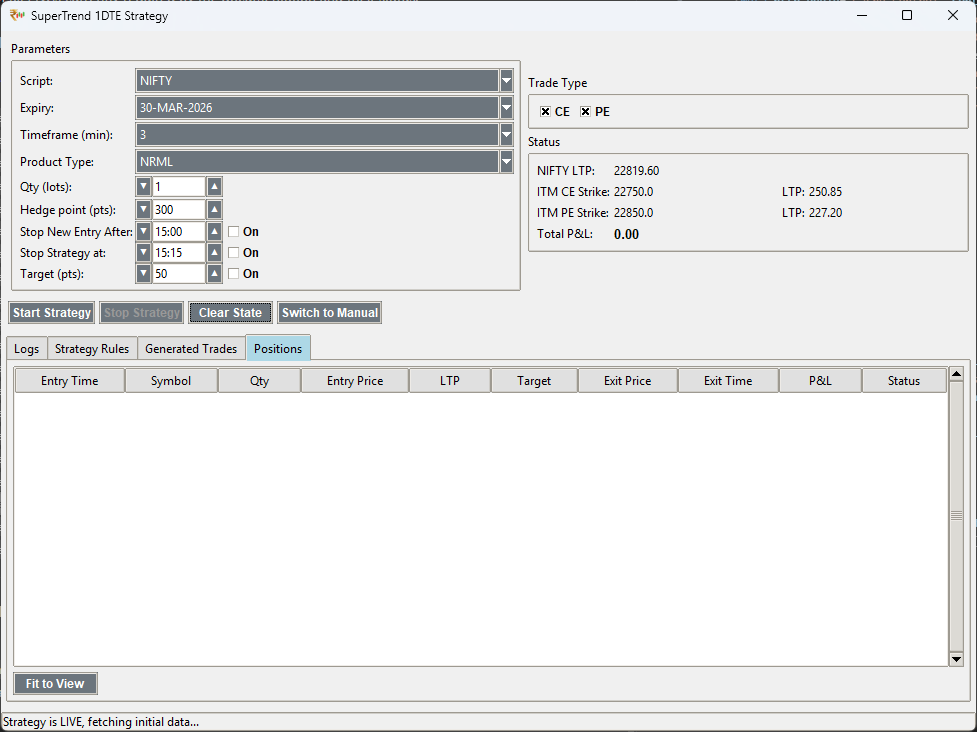
Configuration
| Parameter | Description |
|---|---|
| Hedge Pts | Distance of OTM hedge from ATM. |
| Product | NRML (Overnight) or MIS (Intraday). |
| State Mgmt | Auto-saves position state. Use "Clear State" to reset. |
| Stop Strat | Auto-square off all positions at specific time. |
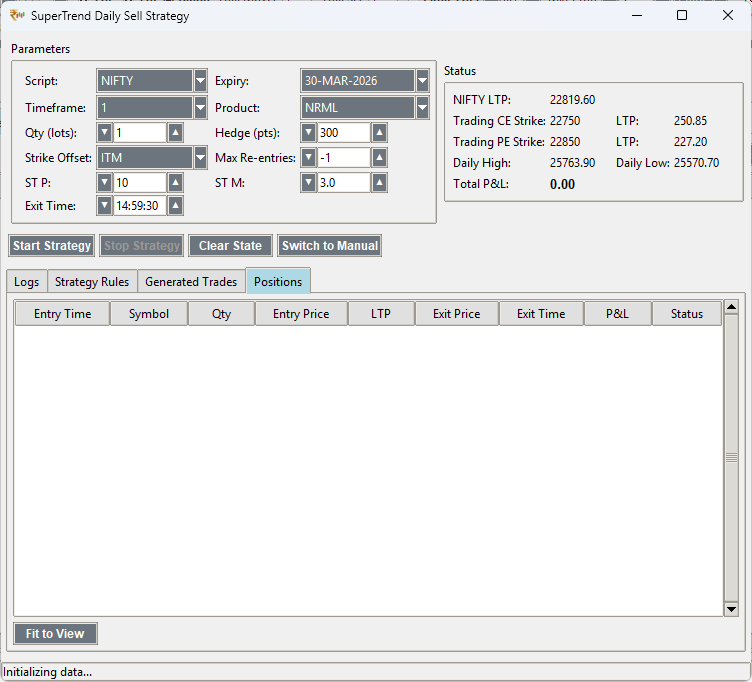
SuperTrend Daily Sell
TREND BIAS / HEDGEDStrategy Logic
A high-probability selling strategy that identifies the initial trend of the day and executes hedged positions aligned with that bias.
Rules of Engagement:
- Trend Identification: Locks the initial SuperTrend direction (UP/DOWN) as the day's bias.
- Daily Range: Uses Daily High/Low for strict reversal-based exits.
- Controlled Re-entries: Customizable "Max Re-entries" to prevent overtrading in choppy markets.
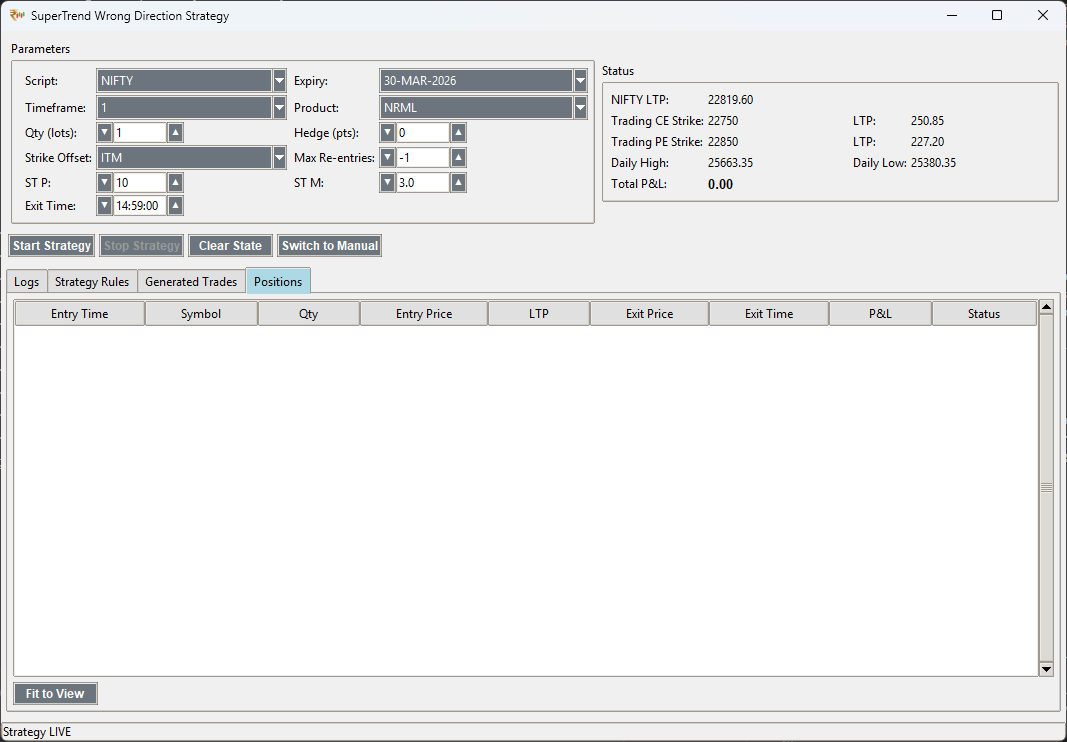
ST Wrong Direction
MEAN REVERSION / COUNTER-TRENDStrategy Logic
Designed to capture sharp reversals when the market deviates significantly from its opening bias.
Execution Flow:
- Counter-Trend Entry: Triggers when price action breaks the daily range against the initial bias.
- Adaptive Management: Utilizes SuperTrend (10,3) crossovers for precise trailing and exit timing.
- Risk Shield: Always executes as a hedged pair to protect against sudden volatility spikes.
Analytics & Live Reports
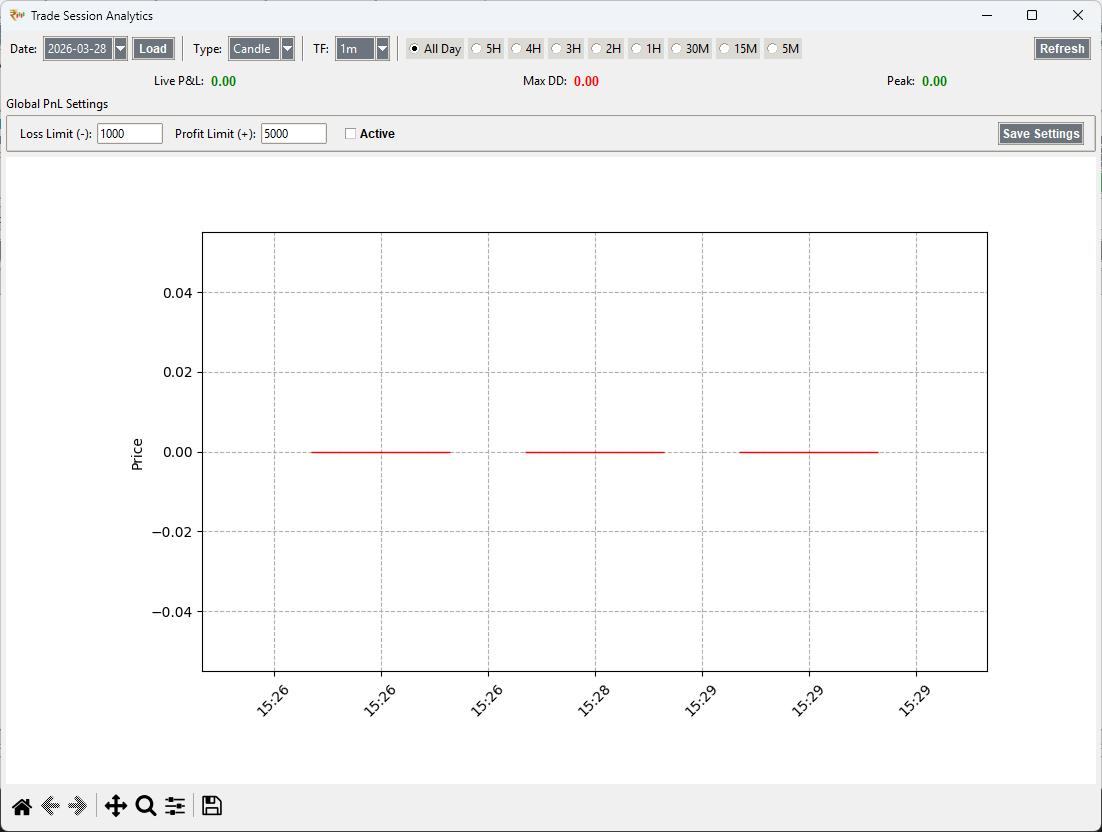
PnL Analytics (Global P&L)
Professional tracking of your equity curve. The application records an encrypted snapshot of your total P&L every **60 seconds**, allowing you to analyze your performance sessions long after trades are closed.
Performance Insights
- 60-Second Snapshots: Automatic state-tracking of global P&L every minute.
- Visual Equity Curve: Tracking of intraday growth and drawdowns.
- Session Archive: All historical snapshots are stored in
analytics/.
Core Trade Metrics
- Profitability: Live tracking of Win Rate and Avg Profit/Loss.
- Risk Metrics: Automatic calculation of Max Intraday Drawdown.
- Efficiency: Integrated hold-time analysis for winners and losers.
History Data Snapshots
Review any previous trading session with full fidelity. By toggling the "Live" switch in any main tab (Watchlist, Orders, Positions, Funds), you can pick a date and load exactly what your terminal looked like at that time.
This feature is invaluable for post-market analysis (PMA) and identifying mental or systemic execution errors.
Intelligent Decision Logging
Every automated feature (VWAP, SuperTrend, etc.) produces detailed step-by-step logs of its internal decision engine.
- Analyzing Candle: Logs raw price, indicator values, and direction for every tick.
- Decision Justification: Explicit records for entries/exits (e.g., "Exit: Price > Daily High").
- TSL Info: Real-time trailing calculations visible in the TSL Logs tab.
Standardized Execution Quality
To ensure high fill quality, the platform defaults to LIMIT orders with Market Protection for all automated actions. This combines the fill probability of market orders with the price protection of limit orders, shielding you from flash crashes and low-liquidity slippage.
Troubleshooting
Common issues and their solutions.
Application Freezes on Network Drop
If the application appears to hang indefinitely when your internet connection is lost, make sure you are running version 5.3.2 or later. The latest update includes robust network timeout handling and a graceful WebSocket reconnection mechanism that prevents threads from blocking on dead socket connections.
Automated Recovery
The application will automatically recognize network interruptions and safely close stale connections. Upon internet restoration, it initiates a single, clean reconnection to Finvasia's servers to resume live data feeds immediately.
SSL / Connection Error
If you encounter an SSL or Connection error while logging in or fetching data, it is likely due to outdated root certificates on your Windows system. This prevents the application from securely communicating with Finvasia's servers.
The Fix: Update Root Certificates
- Search for PowerShell in your Start Menu.
- Right-click it and select "Run as Administrator".
- Copy and paste the following commands one by one:
certutil -generateSSTFromWU roots.sst
certutil -addstore -f root roots.sst
del roots.sst
Note: These commands force Windows to refresh its trusted root certificate store directly from Microsoft's servers.